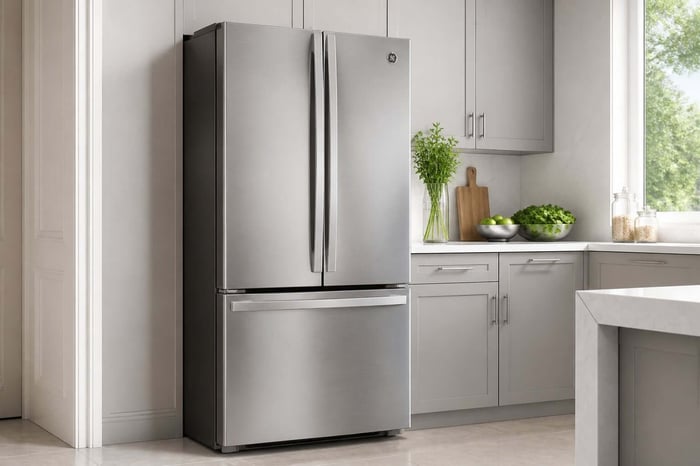

You reach for the milk, and it feels like it came out of the pantry. The lettuce is limp, the butter is soft, and the compressor is either silent or humming in a way you have not heard before. Meanwhile, the freezer might still be holding ice, which makes the whole thing more confusing.
A warm GE refrigerator usually has a short list of suspects, and most of them cost nothing to check. What slows homeowners down is not the diagnosis. It is hunting for the model number behind the crisper drawer, digging for a receipt, and trying to remember whether the fridge is still under warranty.
The faster you can name the part that failed and prove when the unit was installed, the cheaper and shorter the repair conversation gets.
In this guide, you will find the checks to run in order: power and settings, airflow, condenser coils and fan, the evaporator fan inside the freezer, and the control parts that need more care. Work down the list, and you will likely find the answer before you pick up the phone.
Rule Out Power, Settings, and Airflow First
A GE refrigerator not cooling often has power to the lights and none to the cooling system. Start with the free checks that need no tools at all.
Confirm Power at the Outlet and Circuit Breaker
Interior lights can work while the compressor sits dead, so do not treat a lit bulb as proof. Open the panel and look for a tripped circuit breaker, then reset it once.
Plug a lamp or phone charger into the same outlet to confirm it is live. If the breaker trips again right away, stop and call an electrician instead of resetting it repeatedly.
Set the Refrigerator and Freezer to Safe Temperatures
Aim for about 37°F in the refrigerator compartment and 0°F in the freezer compartment. On dual temperature refrigerator controls, one setting can get bumped while the other stays fine.
Set both, then place a standalone thermometer on a middle shelf and give it 24 hours. GE Appliances lists the exact control layout for your model in the owner's manual.
Clear Air Vents and Check Food Placement
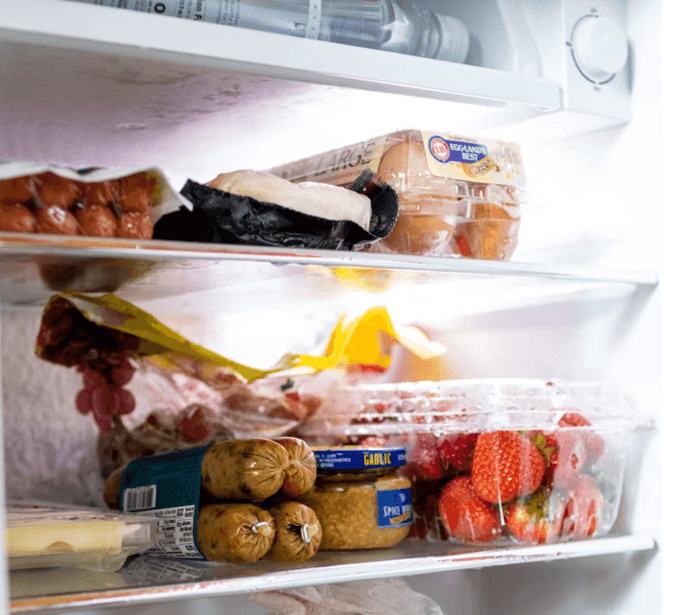
Cold air reaches the fridge through vents that large containers can easily block. A sheet pan, a pizza box, or a wall of gallon jugs can stop airflow completely.
A heavy freezer food load packed against the rear wall causes the same problem. Leave a few inches of space at the back, and keep a few inches of air clearance behind and above the cabinet.
Make Sure Both Doors Close Fully
On a bottom freezer refrigerator, the fridge gets its cold air from the freezer, so poor freezer door closure warms both spaces. A drawer bin pushed out of its track is a common culprit.
Watch the door swing shut on its own and listen for the seal to catch. If power, settings, and airflow all check out, the next place to look is the back of the unit.
Clean the Condenser Coils and Check the Outside Fan
The condenser coils dump heat out of the refrigerator. When dirty condenser coils are wrapped in dust and pet hair, the compressor runs constantly, and the cabinet still warms up.
Remove Dust From Accessible Coils
Coil cleaning takes about 15 minutes and is the most common fix homeowners can do themselves.
Unplug the refrigerator or shut off its breaker.
Pop off the base grille at the front bottom, or pull the unit out to reach the rear panel.
Vacuum the coils with a brush attachment and work gently so you do not bend the fins.
Wipe the floor underneath, then replace the grille and restore power.
Plan on doing this every 6 to 12 months, or more often if you have pets.
Listen for the Condenser Fan and Look for Obstructions
The condenser fan motor sits near the compressor at the bottom rear. With the unit running, you should hear it turning whenever the compressor is on.
With power off, spin the fan blade by hand. It should move freely. Cardboard, a fallen bag, or a seized motor will trap heat and warm the whole refrigerator.
Know When Heat or Noise Signals a Bigger Problem
A compressor that is too hot to touch, or one that clicks on and off every few minutes, points to a problem beyond basic cleaning. A loud buzz followed by silence often means it is trying to start and failing.
Write down the model and serial number now, before you need them. That detail decides whether compressor failure is covered under a sealed-system warranty or paid out of pocket. If the outside of the fridge checks out, open the freezer next.
Read more: Appliance Manual Help: Find, Store, and Use It Fast
Check Cold-Air Movement Inside the Freezer
If the freezer temperature looks normal but the refrigerator stays warm, the problem is almost always air movement, not cooling capacity. Hold your hand near the fridge vents and feel for a steady stream.
Test the Evaporator Fan With the Door Switch
The evaporator fan sits behind the rear panel inside the freezer and pushes cold air into both compartments. On most models, it shuts off when you open the door.
Press and hold the door switch or plunger with the door open and listen. Silence usually means a failed evaporator fan motor or ice jamming the blade.
Look for Ice Blocking the Fan or Evaporator Coils
Pull the freezer contents and look at the back wall. A thick sheet of frost over the evaporator coils means the defrost cycle is not running.
Unplugging the fridge for 24 to 48 hours melts the ice and restores cooling for a while. If frost returns within a few weeks, the defrost heater, defrost thermostat, or defrost timer is the real failure.
Check Whether the Damper Door Is Sending Air to the Fridge
A damper door controls how much cold air crosses from the freezer into the fresh food section. If it's stuck closed, it leaves you with a cold freezer and a warm fridge.
Find the vent housing near the top of the fridge compartment and look for a moving flap. If it will not budge or is frozen shut, the damper assembly needs replacing. When the mechanical parts all pass, the electronics deserve a look.
Read more: Freezer Working but Not Fridge: What to Check Before You Call Repair
Understand Control and Start Problems That Need Care
Some warm refrigerators are running exactly as told, just told the wrong thing. Controls and sensors can fail without any noise or ice to give them away.
Check for Demo Mode and Model-Specific Diagnostic Messages
Showroom or demo mode lights the display and disables cooling entirely. It can switch on after a power surge or a curious kid at the control panel.
Your owner's manual lists the button combination for your model, often a press-and-hold on two keys. The same diagnostic mode reveals stored codes that point to the fan, defrost system, or compressor.
Recognize Thermistor, Control Board, and Start Relay Symptoms
A thermistor reads the air temperature and tells the board when to cool. When it drifts, the fridge either runs too little or never starts.
Watch for these patterns:
Thermistor: display reads a normal temp while a thermometer says 50°F.
Temperature control board or main control board: one compartment ignores every setting change.
Start relay: a click every few minutes, no compressor hum, and a rattle when you shake the removed part.
Testing these takes a multimeter and a comfort level with unplugged wiring. If that is not you, this is a fair place to hand it off.
Leave Refrigerant and Sealed-System Repairs to a Technician
Refrigerant work is not a DIY refrigerator repair. The sealed system is closed for a reason, and handling refrigerant legally requires certification and recovery equipment.
Signs point here when the compressor runs steadily, the coils are clean, the fans work, and nothing gets cold. At that point, your job shifts from fixing to deciding.
Decide What to Do Next and Keep the Record Ready
Two things matter once you have found the likely cause: giving the fridge time to recover, and protecting your food while you wait.
When to Wait for Temperatures to Stabilize
After cleaning coils, clearing vents, or resetting a control, give the unit a full 24 hours before judging it. A refrigerator that was warm for a day needs hours to pull back down.
Check with a thermometer, not by touch. Small drops over several hours mean the fix worked.
When to Protect Food and Arrange Qualified Service
If the refrigerator compartment sits above 40°F for more than four hours, move perishables to a cooler with ice. Frozen food holds longer in a closed freezer, so keep the door shut.
While you wait, inspect the door gaskets. Close the door on a dollar bill and pull. If it slides out with no drag, the seal is leaking warm air and needs replacing.
Save the Details That Make the Next Problem Easier
Refrigerator troubleshooting goes faster the second time when the paperwork is already in one place. Before the technician leaves, capture:
Model and serial number from the tag inside the fridge wall.
Purchase or install date and current warranty status.
The failed part, the repair date, and the cost.
A photo or PDF of the owner's manual.
That short list turns a stressful morning into a five-minute lookup next time.
Frequently Asked Questions
Why Is My GE Fridge Warm While the Freezer Still Works?
Cold air reaches the fridge from the freezer, so a working freezer with a warm fridge points to airflow. Check the evaporator fan, frost over the evaporator coils, and a damper door stuck closed.
What Should You Check First When Your GE Fridge Stops Getting Cold?
Start with power at the outlet and the circuit breaker, then confirm the temperature settings were not bumped. Next, clear blocked vents and dust off the condenser coils.
How Do You Reset the Temperature Controls on a GE Refrigerator?
Unplug the refrigerator for about five minutes, plug it back in, then set 37°F for the fridge and 0°F for the freezer. Wait a full 24 hours before deciding whether it worked.
Why Do the Lights Work in Your GE Fridge but the Food Compartment Is Warm?
Lights run on a separate circuit from the cooling system, so they prove nothing about the compressor. Look at the condenser fan, the evaporator fan, or a control board that never calls for cooling.
What Can Cause a Brand-New GE Refrigerator to Stay Warm After Installation?
Demo or showroom mode is the usual reason a new unit lights up but never cools. Also give it 24 hours to reach temperature, and confirm it has air clearance behind and above the cabinet.
When Should You Replace a Part Instead of Scheduling Service for Your GE Refrigerator?
Coils, gaskets, and a stuck vent are safe homeowner fixes. Anything involving refrigerant, the sealed system, or the compressor needs a certified technician with the right equipment.
Get the Cold Back, Then Get the Paperwork Sorted
Most warm GE refrigerators come down to something you can see: dusty coils, a blocked vent, a fan that stopped, or a door that never fully closed. Work the list in order and you will either fix it yourself or walk into the service call knowing exactly what to say.
The part that trips people up is the record. Knowing your model number, warranty status, and last repair date changes what you pay and how long you wait.
Manse gives you one private place to keep the model number, the manual, the warranty, and today's repair, all encrypted and yours alone. Add your home to Manse, free to start with no credit card required, and the next problem takes five minutes to sort out instead of an afternoon.