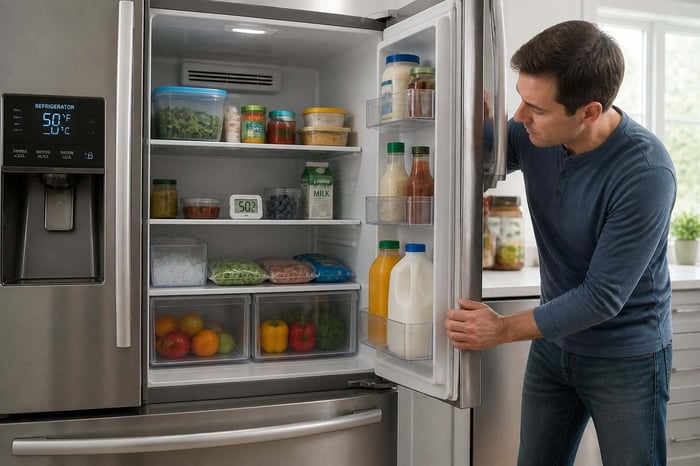

You open the door for milk, and the carton is room temperature. The light works, you hear something running, but the shelves feel like a cabinet instead of a refrigerator. Meanwhile, the ice cream in the freezer is turning soft, and you are doing math on how much food you might lose.
Take a breath before you book a repair. An LG refrigerator not cooling is often caused by something simple: a setting that got bumped, demo mode switched on after a power outage, dust-packed condenser coils, or a vent buried under groceries. Whatever you find, write down the model number and the date, because that record is what saves you money if the same part fails again.
Keep reading to learn the checks to run in order, from power and settings to coils, fans, door seals, and frost. You will also learn how to match your exact symptom to the likely cause, and how to tell when it is time to stop and call a pro. The answer is usually simpler than the warm shelves make it feel.
Start With Power, Settings, and Demo Mode
Most warm LG refrigerators still have power. The cooling stopped because of an interrupted circuit, a changed setting, or a showroom mode that never got turned off.
Confirm the Outlet and Circuit Breaker Work
Interior lights can run on a partial circuit, so a lit bulb does not prove the whole appliance has good power. Unplug the refrigerator and test the outlet with a lamp or a phone charger.
Then check your panel for a tripped circuit breaker and reset any nearby GFCI outlet. If the fridge shares a circuit with a microwave or garage freezer, a trip is more likely than you think.
If power is solid and you still hear a fan but feel no cold, move to the control panel.
Set Safe Refrigerator and Freezer Temperatures
Aim for 37°F in the fresh food section and 0°F in the freezer. A leaning grocery bag or a curious kid can nudge a touch panel and raise both settings in seconds.
After you correct the temperature, give the appliance a full 24 hours before you judge the cooling capacity. Refrigerator temperature recovers slowly, especially on a full unit.
If the display refuses to hold a setting at all, the temperature control board or thermostat may be at fault, but check demo mode first.
Check Whether Demo Mode Is On
Demo mode, also called shop mode, runs the lights and the display without running the compressor. It is built for store floors, and a power surge or outage can switch it back on at home.
Signs of demo mode:
The display shows "OFF" or a demo icon instead of real temperatures
Lights and touch buttons respond normally, but nothing gets cold
You hear no compressor cycling at the back of the unit
On many models, press and hold the Refrigerator and Ice Plus buttons together for about five seconds with the door open. You should hear a beep and see temperatures return.
If demo mode was already off, the next place cold air gets lost is airflow.
Restore Airflow and Heat Release
Your refrigerator does two jobs: move cold air inside and dump heat outside. Block either one and the food gets warm while the unit runs nonstop.
Clear Food From Interior Air Vents
Look at the back wall and upper corners of both compartments for the air vents. Blocked air vents are one of the most common reasons an LG refrigerator stops cooling evenly.
A pizza box flat against the back panel, a tall stack of food containers, or a freezer packed wall to wall can shut down circulation completely. Leave an inch of open space in front of every vent.
If you find frost only at the vent openings, note that, because it points to a defrost issue covered later.
Clean Dust From the Condenser Area
Dirty condenser coils are the top cause of weak cooling. When dust and pet hair coat them, heat cannot escape, and the compressor runs hot and long.
Unplug the refrigerator and shut off the water line if one is attached.
Pull the unit out and remove the lower rear access panel.
Pull heavy dust off with a coil brush, then finish with a vacuum cleaner attachment.
Watch the condenser fan blade for lint wrapped around the hub.
Make sure everything is dry, then reconnect power.
Plug it back in and listen for the condenser fan motor. If it stays silent while the compressor runs, that fan is a likely failure point.
Check Space Around the Refrigerator
Heat also needs somewhere to go once it leaves the coils. Leave roughly two inches behind the unit and an inch on each side, plus clearance on top inside a cabinet cutout.
Garages and sunrooms make this worse. A refrigerator sitting in 95°F air has far less spare cooling capacity than one in a conditioned kitchen.
With airflow open, the next suspects are the parts that move and seal cold air.
Read more: Freezer Not Cold Enough? Check These Fixes Before Food Thaws
Inspect Doors, Fans, and Frost
If cooling still lags, cold air is either leaking out or never reaching the fresh food section. Doors, the evaporator fan, and frost buildup cover almost all of that ground.
Test the Door Gaskets and Door Closure
Close a dollar bill in the door and pull. If it slides out with almost no drag, the door gasket is not sealing at that spot.
Repeat the test in several places along all doors. Wipe the door seals with warm soapy water, since syrup and crumbs keep gaskets from sitting flat. A gasket that is torn, flattened, or pulling loose from the liner needs replacing.
Also check that door bins are not stopping the door from closing the last half inch, and that a door-in-door panel latches fully.
Listen for the Evaporator Fan
The evaporator fan sits behind the freezer's rear panel and pushes cold air into both compartments. Open the freezer, hold the door switch in, and listen for a steady whir.
Silence there, or a loud grinding rattle, points to the evaporator fan motor. That failure creates the classic complaint: a freezer that stays cold while the refrigerator side turns warm.
Recognize Frost That Blocks Cold Air
Pull the freezer's back panel and look at the evaporator coils. A light dusting of frost is normal. A solid white block of ice buildup is not.
Heavy frost means the defrost system is not clearing ice, often from a failed defrost heater or sensor. As a test, unplug the unit for 24 to 48 hours with towels down and see if cooling returns after the ice melts. If it fails again in a week or two, you have a defrost problem, not a fluke.
Frost only in the fresh food section can also mean a stuck damper control assembly holding cold air in one place.
Read more: How to Create a Home Maintenance Checklist when Tasks Keep Piling Up?
Match the Symptom to the Likely Problem
The pattern of what is warm tells you more than any single part test. Use your symptom to narrow the list before you spend a dollar.
When Both Compartments Are Warm
If nothing in either side is cold and the lights work, look at the refrigerator compressor and its start relay. Pull the unit out, remove the lower back panel, and listen.
A clicking sound every few minutes followed by silence usually means the compressor start relay is failing. A compressor that hums or buzzes but stays warm without cooling often points to compressor failure or a stuck inverter board.
When the Freezer Is Cold, but the Fresh Food Section Is Warm
This split almost always comes from air movement, not the compressor. The likely causes are the evaporator fan, the damper control, or frost blocking the duct between compartments.
Check the freezer's ice cream first. Soft ice cream plus a warm fridge suggests a broader cooling loss instead of a simple airflow block.
When Ice or Water Features Also Stop Working
An ice maker that quits at the same time as cooling is a clue, not a separate repair. Ice production needs freezer air below about 15°F, so it fails whenever cold air stops arriving.
If the water dispenser still works fine but ice stopped, focus on freezer temperature. If both stopped, check for a closed water valve or a frozen supply line.
When Water Leaks or the Refrigerator Makes New Noises
A refrigerator leaking water onto the floor often has a clogged defrost drain, which lines up with frost problems. Ice under the crisper drawers points the same direction.
New sounds matter too. A rattle like broken glass when you shake a removed relay means it is done, while a loud buzz that repeats every few minutes suggests the compressor is locked up.
Some of these findings are yours to fix. Others are a hard stop.
Know When to Stop Troubleshooting
Two categories are worth handing off: live electrical testing and anything inside the sealed refrigerant system. Knowing the line keeps you safe and keeps warranty coverage intact.
Electrical and Control Problems That Need Care
Testing a thermistor or a main control board with a multimeter means working near live wiring and delicate connectors. Always unplug the appliance first, and never test a powered unit with the doors and panels open.
Do not swap a refrigerator control board on a hunch. Boards are among the priciest LG refrigerator parts; they are often non-returnable, and a bad temperature sensor can mimic board failure exactly.
Sealed-System Signs That Are Not DIY Repairs
A refrigerant leak, a burned-out compressor, or an oily film on the tubing all require certified equipment and licensing. There is no home fix and no shortcut.
Warning signs include a compressor that runs constantly with barely cool air, faint hissing followed by no cooling at all, or coils that never get warm to the touch.
Gather the Model and Warranty Details Before the Next Step
Before you call anyone, find the sticker with the model and serial number, usually inside the fresh food compartment on a side wall. The serial number also tells you the manufacture date.
That matters because many LG refrigerators carry a ten-year limited warranty on the linear compressor part. The part may be covered while labor is not, so ask for a flat-rate quote in writing.
Have this ready when you call:
Model number and serial number
Manufacture date and purchase date
Every symptom, including sounds and which compartment is warm
Checks you already completed, such as coil cleaning or a demo mode reset
Past repairs on this appliance, with dates and receipts
A technician who gets that list in 30 seconds spends the visit fixing, not hunting.
Frequently Asked Questions
Why Is Your LG Refrigerator Not Cooling Even Though the Freezer Still Works?
That pattern usually means cold air is not moving between compartments. The most common causes are a failed evaporator fan motor, frost blocking the air duct, or a damper control stuck closed. The compressor is likely fine, since it is still cooling the freezer.
What Should You Check First When Your LG Refrigerator Is Running but Not Getting Cold?
Check demo mode and the temperature settings before anything else, because both are free to fix. Then look at the condenser coils and confirm interior air vents are not blocked by food. Those four checks solve a large share of cooling complaints.
How Do You Reset Your LG Refrigerator When It Stops Cooling?
Unplug the refrigerator or switch off its breaker for five to ten minutes, then restore power. That power cycle can clear a minor control glitch or a stalled compressor start. Wait a full 24 hours before deciding whether the reset worked.
Why Is Your LG Refrigerator Fan Running but the Inside Is Still Warm?
A running fan only proves air is moving, not that the air is cold. If the compressor is not pumping refrigerant, the fan circulates room-temperature air. Listen at the back for a compressor that clicks, buzzes, or stays silent while the fan spins.
What Does It Mean if Your LG Refrigerator Compressor Feels Hot and the Fridge Is Not Cooling?
A hot compressor with no cooling often means it is straining or has failed internally, sometimes after dirty coils forced it to overrun. Check the coils and the condenser fan first. If both are clean and working, this needs a professional and a warranty check.
Why Is Your New LG Refrigerator Not Cooling Enough After Installation?
Give a newly installed unit 24 hours to reach temperature, and confirm demo mode was turned off at delivery. Then check that it has clearance behind and beside it, and that it is not fully packed with warm groceries on day one.
Keep the Next Refrigerator Problem Easier
Most cooling failures build slowly, so a short routine prevents the emergency. Clean the condenser coils twice a year if you have pets, once a year if you do not, and wipe the door gaskets when you clean the shelves.
Then keep the paperwork where you can find it. When the model number, manual, purchase date, and last coil cleaning live in one place, a warm refrigerator becomes a ten-minute diagnosis instead of a Saturday of digging through drawers and old email.
That is what Manse is for: a private home profile that holds your appliance records, warranty dates, and maintenance reminders, so nothing depends on memory. Add your home to Manse and keep this refrigerator documented where you can actually find it next time. It is free to start, no credit card required, and it takes about five minutes.