
A repair technician, a warranty line, or a recall notice asks when your Samsung appliance was made, and you have no receipt to check. The serial number on the appliance's label is where the answer starts.
Samsung's support pages show exactly where that label is on each appliance, but they don't publish a key for reading a manufacture date from the serial number. The reliable route is to find the full serial and model number, then have Samsung confirm the date.
Where Can You Find the Serial Number?
The serial number is printed on a label attached to the appliance, and the spot depends on the appliance type. Samsung's guide to finding the model and serial numbers on Samsung appliances lists each location.
Samsung Refrigerators
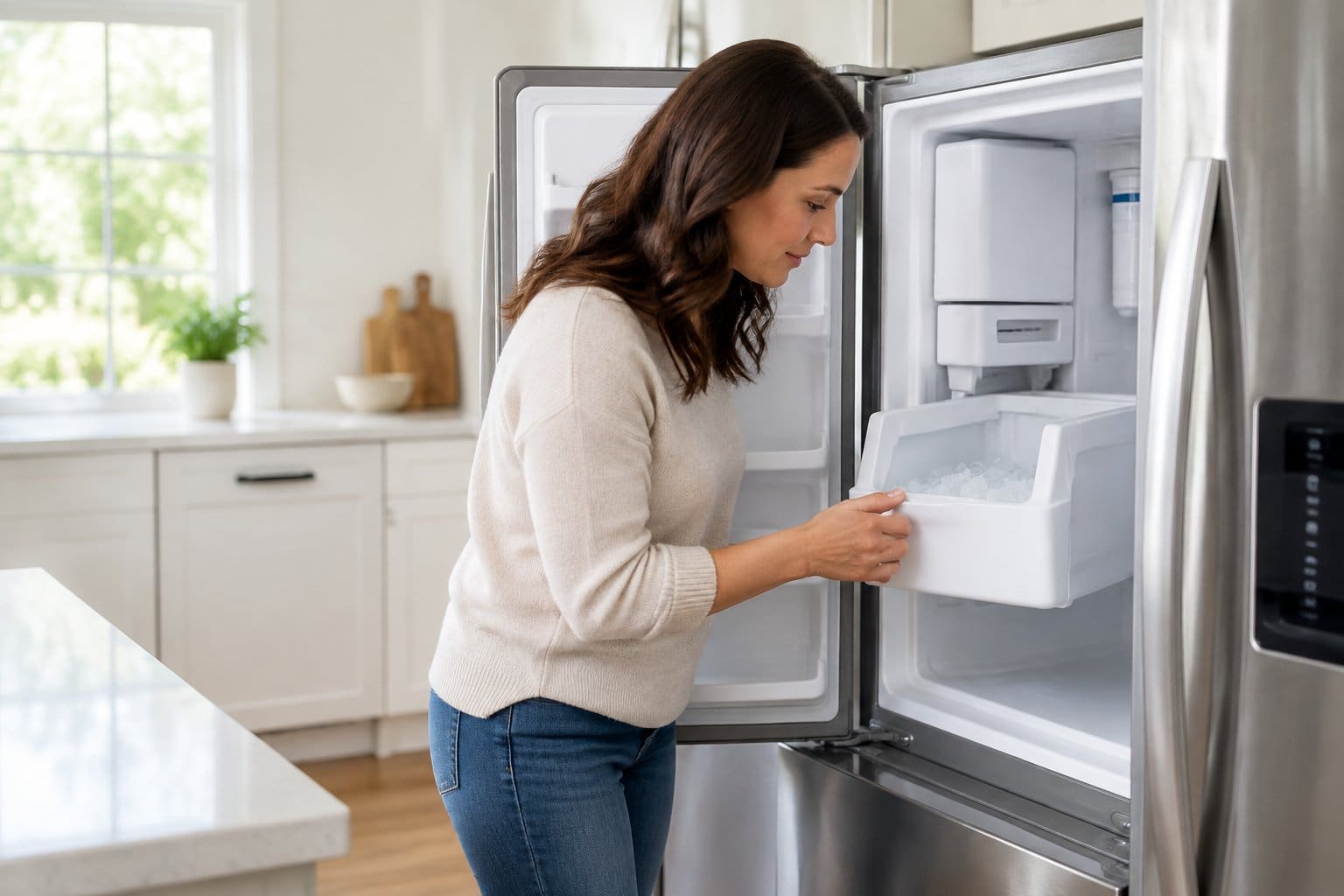
Check inside the refrigerator on the left-hand side first. Samsung prints the model and serial numbers on a label there, and a second label with the same details sits on the outside at the bottom left of the unit.
Samsung's model numbers also hint at the door style: French door models start with RF, side-by-side units with RS, bottom-mount freezers with RB or RL, and top-mount freezers with RT. For a closer look at each layout, here's where to find the model number on a Samsung refrigerator.
Samsung Washers and Dryers
On front-load washers and dryers, open the door and check the frame or the area near the door seal. If the numbers aren't there, Samsung's washer and dryer label guide says to look for a label on the back of the unit.
Top-load washers and dryers keep the label on the back, where a flashlight helps. On a Samsung Laundry Hub, the master serial number is on the front under either door, and scanning the QR code on the front pulls up the separate washer and dryer serial numbers.
Samsung Dishwashers and Ranges
Open the dishwasher door and check the inner rim. The sticker can be on the top of the door's inner rim, on either side of the rim, or on the inside edge of the tub.
For ranges, open the oven door and check the right or left side of the front frame. On some models, the label is on the left side of the warming drawer.
Can You Read the Date Code Yourself?
Samsung's appliance support pages explain that serial numbers are assigned during manufacturing and are unique to each unit. They don't say which characters, if any, hold the year and month, so there's no official decoding rule to apply at home.
Write Down the Full Serial Number First
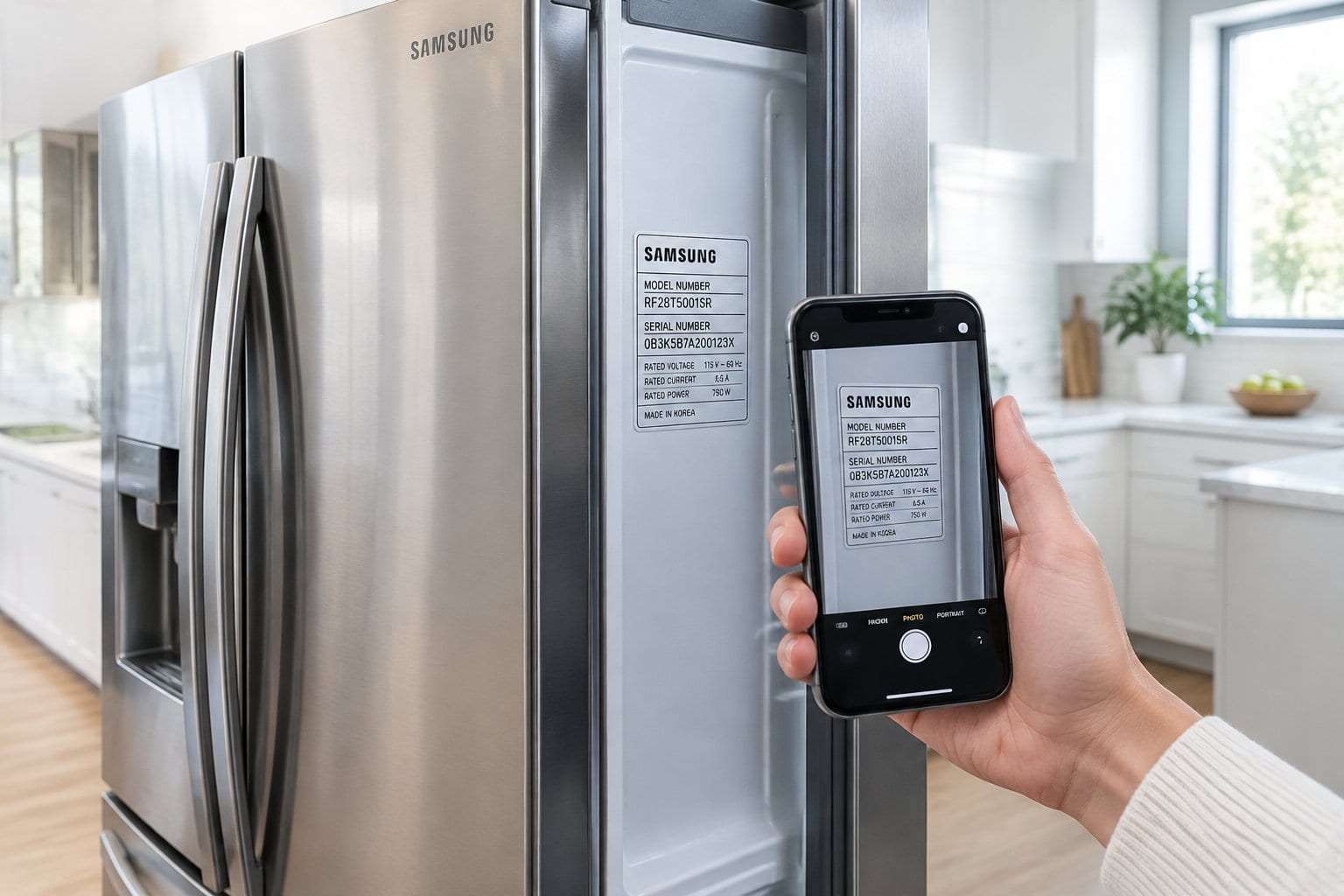
Copy the serial number exactly as it appears, or photograph the label so you can zoom in later. Characters such as 0 and O or 1 and I are easy to mix up on a small sticker, and one wrong character can send a support search in the wrong direction. Note the model number from the same label, since Samsung will ask for both.
Why Unofficial Decoder Charts Fall Short
Third-party decoder sites and charts point to different character positions for the year and month, and Samsung hasn't confirmed any of them for its home appliances. A date pulled from one of those charts is a guess. Use it as a rough clue at most, and don't give it to a warranty line or technician as the manufacture date.
How Can You Confirm the Manufacture Date?
Samsung itself is the most reliable source for a manufacture date, and a few clues on and around the appliance can help you sanity-check what you hear.
Ask Samsung With the Full Serial and Model Number
Samsung's support team is the official source for details tied to your unit's serial number, so ask them for the manufacture date. Per Samsung's US support contact page, you can call 1-800-SAMSUNG (726-7864) from 8 a.m. to 9 p.m. ET Monday through Friday and 8 a.m. to 6 p.m. on weekends, or use live chat, which runs 24/7.
Have the serial number, model number, and a photo of the label ready before you call or start a chat. A date that comes from Samsung is one you can repeat to a technician or claims line.
Use Other Clues to Sanity-Check the Age
Compare any date you're given with what you know about the appliance: when you moved in, when the kitchen or laundry room was last updated, delivery paperwork, or the control panel style. A washer with a touchscreen and Wi-Fi is unlikely to be a decade older than the house's last renovation.
Keep Manufacture Date Separate from Purchase Date
The manufacture date and purchase date differ, and an appliance can sit in a warehouse or showroom for months before it's sold. Samsung's home appliance warranty page says coverage starts automatically on the purchase date.
For refrigerators, it lists a 1-year standard warranty, 10 years of parts coverage on the digital inverter compressor, and 5 years of labor coverage on the sealed system.
The same page says a sales receipt, invoice, or order confirmation helps verify the purchase date, and that without one, Samsung support may be able to verify warranty using the serial number. That's another reason to keep appliance purchase receipts with the serial number.
Keep the Date with Your Appliance Records
Once Samsung confirms a manufacture date, write it down next to the serial number, model number, and purchase date for that appliance. A dishwasher, a washer, and a refrigerator each have their own label and their own dates, and scattered sticky notes or random phone photos make it easy to mix them up.
Store the record where you keep the appliance's manual and warranty. If your manuals are still in a kitchen drawer, it helps to organize your appliance manuals digitally at the same time. With the dates in one place, you can check an appliance's warranty status in minutes the next time something breaks.
Frequently Asked Questions
Can you tell when a Samsung appliance was made from its serial number?
Not on your own. Samsung doesn't publish a public key for reading the year and month from the serial number. Its support team is the official source for details tied to your unit, so contact Samsung with the full serial and model number and ask for the manufacture date.
Which characters show the year and month on a Samsung appliance serial number?
Samsung hasn't published that for its home appliances. Unofficial charts online point to different character positions, so treat any date you read from one as a guess and confirm it with Samsung before you rely on it.
Where is the serial number on a Samsung refrigerator?
Inside the refrigerator on the left-hand side, with a second label on the outside at the bottom left of the unit. The same labels show the model number.
Is the manufacture date the same as the purchase date?
No. The manufacture date is when the appliance was built, while Samsung's warranty coverage starts on the purchase date. Use your receipt, invoice, or order confirmation for warranty questions.
What should I do if I cannot read my Samsung appliance serial number?
Photograph the label in good light and zoom in, and check the second label if your appliance has one. If it's still unreadable, contact Samsung support with the model number and any purchase records you have.
Save the Build Date Where You'll Find It
A manufacture date you had to chase down once is worth keeping. In Manse, you can store the serial number and confirmed build date right next to the appliance's manual, receipt, and warranty. Start your free appliance record.