
You are standing in the kitchen holding a dead dishwasher and a phone full of unanswered questions. When was it installed? Is it still under warranty? Where did that manual even go?
That moment is exactly why homeowners start asking what a home profile is. It is a single, organized record of your home, its appliances, and every document tied to them, built before you need it, not scrambled together after something breaks.
Manse turns that idea into something you can actually use. It gives you one private place to log appliances, warranties, and maintenance so the next breakdown does not turn into a search party.
In this guide, you will find what belongs in a home profile, why it pays off before something goes wrong, and how to build one from your first appliance to your last receipt. Keep reading, and you will know exactly where to start with your own home.
What a Home Profile Includes
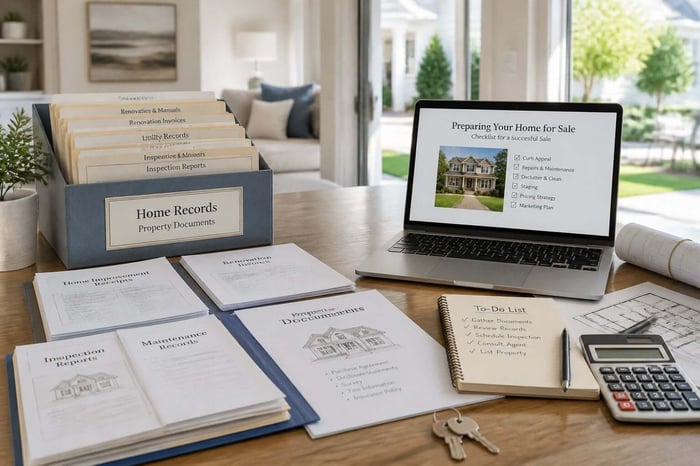
A home profile is the record of your home's identity, its systems, and every appliance inside it, all kept in one place. It answers two questions at once: what do I own, and what do I know about it.
Think of it as the difference between a stack of paper and a working reference. A stack of paper tells you nothing until you dig through it. A home profile tells you the answer the moment you ask.
The Details That Identify Your Home and Its Systems
Your home profile starts with the basics: address, year built, square footage, and the major systems that keep the house running. That means HVAC, plumbing, electrical panels, water heater, and roofing.
These details matter because they set the baseline for everything else. A furnace installed in 2016 has a different maintenance clock than one installed last year. Knowing your panel's amperage matters the moment an electrician asks.
The Records Attached to Each Appliance
Every appliance in your home profile carries its own set of facts: brand, model number, serial number, purchase date, and warranty expiration. This is where the profile earns its keep during a breakdown.
Picture your refrigerator. A complete entry includes the model number stamped inside the door frame, the serial number that decodes its manufacture date, and the receipt from the day it was delivered. When the compressor starts humming louder than usual, you already know if it is covered. If a label is ever hard to read, this guide to decoding appliance model numbers can help.
- Model and serial number
- Purchase date and retailer
- Warranty length and expiration date
- Manual or install guide location
- Maintenance and repair history
How It Differs From a Folder of Home Documents
A folder holds paper. A home profile connects that paper to the object it belongs to and keeps it searchable by appliance, not by file name. That difference sounds small until you need it fast.
A folder makes you flip through pages hoping to spot a model number. A home profile lets you search "dishwasher" and see the warranty, the manual, and the install date at a glance. That distinction becomes obvious the day something actually breaks, which is the next thing worth walking through.
Why Keep These Records Before You Need Them?
Keeping records ahead of time saves you money, time, and stress the moment something goes wrong. Waiting until a breakdown to gather this information almost always costs more than building it in advance.
Most homeowners learn this the hard way, usually while standing next to a leaking appliance with no idea who to call.
Finding Warranty Coverage During a Breakdown
Knowing your warranty status before a breakdown means you won't lose coverage because you missed a deadline. A dishwasher that starts leaking under the sink is a common trigger, and the difference between a free repair and a paid one often comes down to whether you can prove the purchase date.
Warranties do not wait for you to get organized. Many manufacturers set a short window, often just days or weeks, to file a claim after a failure, and if your paperwork takes that long to locate, you may already have missed it.
Knowing What Was Installed, Repaired, or Replaced
A record of what was installed, repaired, or replaced tells you exactly what state your home is in without guessing. This matters most for systems you cannot see every day, like a water heater in the basement or an HVAC unit on the roof.
Say your water heater was replaced two years ago by the previous owner, but no one told you. Without a record, you might schedule a replacement years early or ignore a unit that is actually near the end of its life. A logged install date settles the question instantly.
Making a Move, Renovation, or Sale Less Stressful
A documented home makes moving, renovating, or selling far less stressful because you are not reconstructing history under pressure. Buyers and contractors both ask questions your memory cannot always answer.
Treating your home's history like a resume you can hand over before closing changes the tone of the whole process. Renovation crews ask similar questions before they touch a wall: what is behind it, what is connected to it, and what is still under warranty. Having those answers ready is what turns the next stage, actually building the record, from overwhelming into manageable.
How to Build Your Home Record From Scratch
Building a home record starts with a walkthrough, not a filing cabinet. You do not need every document on day one. You need a system that fills in over the next few weeks.
The goal is coverage, not perfection. A partial record beats no record every time.
Start With a Room-by-Room Walkthrough
Walk through your home one room at a time and note every appliance and system you find. This catches items people forget, like a water softener in the garage or a dehumidifier in the crawl space.
Bring your phone. Photograph model and serial number plates as you go, since those labels fade or get painted over within a few years. A kitchen alone usually produces five or six entries: refrigerator, range, dishwasher, microwave, and disposal.
Use an Appliance Documentation Checklist
A checklist keeps you from missing the details that matter later, especially the ones tied to warranty claims. Use the same fields for every appliance so the record stays consistent. This resource for finding and storing appliance manuals is a good companion here if manuals are the piece you're missing.
- Appliance name and location in the home
- Brand, model, and serial number
- Purchase date and price
- Warranty length and expiration
- Manual location, digital or physical
- Any repairs or service visits, with dates
Handle Older or Inherited Appliances With Missing Information
Missing paperwork does not mean the appliance goes undocumented. Log what you can observe directly and fill gaps as you find more information.
If you inherited a furnace with no paperwork, the serial number plate usually reveals the manufacture date once decoded by brand. Note the install location, take a photo of the label, and mark the warranty as unknown rather than skipping the entry entirely. A record with a gap is still searchable. A record that doesn't exist isn't, and once the gaps are filled, the harder work becomes keeping it current.
How to Keep Your Records Useful Over Time
A home record stays useful only if you update it as things change. A record frozen at move-in day becomes less accurate every year you own the home. Treat updates as part of routine home care, not an annual chore you dread.
Update the Record After Repairs and Replacements
Log every repair and replacement the same week it happens, while the details are still fresh. A repair without a date attached is nearly as unhelpful as no record at all.
If a technician replaces your dishwasher's pump, note the date, the part, and the technician's name if you might call them again. Six months later, that entry answers questions faster than a memory ever could.
Log Maintenance Dates and Set Relevant Reminders
Recording maintenance dates only pays off when paired with a reminder for the next one. An HVAC filter changed in March means little if nobody remembers to check it again in three months. Folding this into an annual home maintenance checklist helps, but the reminder still has to actually reach you.
This is where manual systems tend to break down. Sticky notes fall off. Calendar reminders get dismissed. A general personal record retention guide can tell you what to keep, but it cannot tell you when your specific furnace filter is due. Manse ties reminders to the maintenance schedule for each appliance you log, so the notice arrives based on your equipment, not a generic seasonal checklist.
Keep Your Home Information Private and Portable
Your home information should stay private and move with you if you relocate. Records tied to a home instead of a person often get lost in a move, which defeats the purpose of building them.
Manse keeps home records encrypted and anonymized, and the profile is built to outlast a single owner, a renovation, or a change of address. That portability is what makes a documented home genuinely easier to manage day to day.
A Documented Home Is Easier to Manage
A documented home takes less mental effort to run because you stop relying on memory for facts that matter. Every question about an appliance or system has an answer already sitting in one place.
That shift changes small moments more than big ones. You do not need to remember which drawer holds the water heater manual. You do not need to guess when the dryer vent was last cleaned.
Consider a single afternoon: the air conditioner stops cooling, the smoke detector chirps for a battery, and a contractor calls asking about your electrical panel amperage. Without a home profile, that afternoon means three separate searches through drawers, inboxes, and memory. With one, it means three quick lookups.
- Faster warranty claims, since coverage dates and receipts are already logged
- Fewer missed maintenance tasks, since reminders replace memory
- Smoother transitions at move-in, renovation, or sale, since history travels with the home
Building that habit does not require a big project. It starts with the same questions this guide has already walked through, answered one appliance at a time. Start building your own home profile in Manse and put those answers somewhere you can actually find them.
Frequently Asked Questions
What is a home profile used for?
A home profile tracks every appliance, warranty, manual, and maintenance task tied to your home in one place. It answers questions during breakdowns, renovations, and sales without requiring you to search through drawers or inboxes.
What information should I put in a home profile?
Include your home's basic details (address, systems, year built) plus per-appliance records: brand, model, and serial number, purchase date, warranty expiration, and manual location. Add maintenance and repair history as it happens.
Should I include older appliances if I do not have their manuals or receipts?
Yes. Log the appliance name, location, and any visible label information even without full paperwork, and mark the warranty as unknown. A partial entry is still useful, and you can add missing details later if you find them.
How is a home profile different from a home inventory for insurance?
A home inventory for insurance focuses on estimated values and photos for claims, while a home profile tracks each appliance's operational details, like model numbers, warranties, and service history. Many homeowners keep both, since a home profile often supplies the details an insurance inventory needs anyway.
How often should I update my home profile?
Update it right after any repair, replacement, or maintenance visit to keep the record accurate. A quarterly check-in also helps catch anything you may have missed logging in the moment.