
Your microwave chose the worst possible moment to quit. Maybe it hummed but never heated your coffee, or the display went dark right before dinner. Either way, you are standing in the kitchen wondering whether this is a five-minute fix or a repair bill you didn't plan for.
Before you call anyone, check a few things yourself. Some microwave problems trace back to something as simple as a tripped breaker or a door that is not latching all the way. Others point to parts that carry enough voltage to hurt you, which is exactly where a homeowner needs to know when to stop.
In this guide, you will find the safe checks to run first, how to match your symptom to a likely cause, and the clear line between a quick fix and a job for a licensed technician. You will also see why writing down your microwave's model number and warranty status now saves you a scramble later.
Start With the Checks You Can Safely Make
Most microwave problems start small, and a few minutes of checking can save you a service call. Before assuming the worst, rule out the simple stuff first.
Confirm Power, Outlet, and Circuit Breaker Status
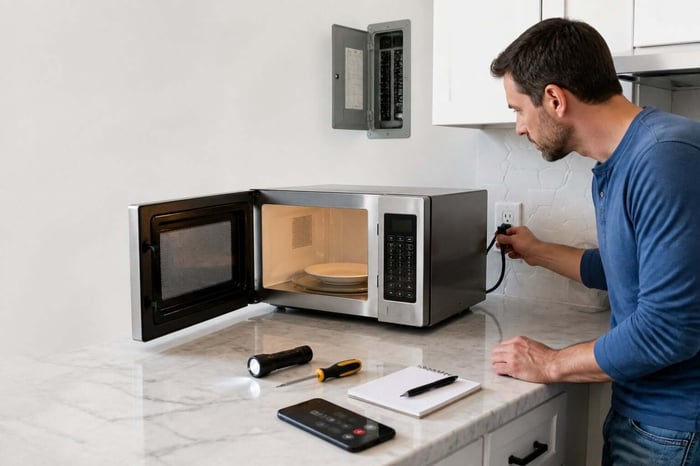
A dead microwave is often a power problem, not an appliance problem. Check the outlet with another device, like a lamp or phone charger, to see if it still works.
If the outlet is dead, head to your electrical panel and look for a tripped circuit breaker. Microwaves draw a lot of power, and a breaker that trips repeatedly on the same circuit can point to a wiring issue, not just a fluke.
Test the outlet with a different device first
Reset the breaker once and watch if it trips again right away
Note whether the microwave shares a circuit with other kitchen appliances
If the breaker keeps tripping, stop resetting it. That is a sign for an electrician, not a microwave repair.
Check the Door, Settings, and Turntable Alignment
A microwave that will not start is often stuck on a door problem, not an electrical one. Open and close the door firmly and listen for the click of the latch catching.
Check that the door is sitting flush in its frame and that nothing, like a stray container or a bent hinge, is keeping it from closing all the way. Also check the control panel for a lock setting or a demo mode that some models ship with by default.
The turntable can cause confusion too. Make sure the glass tray and its support ring are seated correctly, since a crooked tray can jam the motor or make the microwave seem broken when it isn't.
Find the Model Number, Manual, and Warranty Before Calling
Locate your microwave's model number now, before you need it in a hurry. It is usually printed on a sticker inside the door frame or on the back of the unit. If you are not sure how to read yours, this guide to decoding appliance model numbers covers what the letters and numbers actually mean.
Having this number ready means you can look up the manual, check the exact part you might need, or confirm the microwave is still under warranty in seconds instead of digging through drawers. This is exactly the kind of detail that gets lost between moving, remodeling, or just years of daily use, which is why homeowners who log it somewhere permanent, like a home profile in Manse, save themselves the search later.
Once you have ruled out power and door issues, the next step is matching what you are hearing or seeing to a specific cause.
Match the Symptom to the Next Step
Different microwave symptoms point to different problems, and knowing which is which changes what you should do next. Some of these are quick checks. Others mean you should stop using the appliance right away.
The Microwave Runs but Is Not Heating
The display lights up, the plate spins, but your food stays cold. This is one of the most common microwave complaints, and it usually points to the magnetron, the part that actually generates heat.
A failed high-voltage diode or capacitor feeding the magnetron can also cause this. These parts carry dangerous voltage even when the microwave is unplugged, so this symptom belongs to a technician, not a DIY fix.
Sparking or Arcing Inside the Cooking Cavity
Sparks inside the microwave usually mean metal is touching the interior wall, or the waveguide cover is damaged. The waveguide channels microwave energy into the cavity, and a worn or greasy cover can cause arcing.
Check for metal twist ties, foil, or metallic trim on dishes
Look at the waveguide cover for burn marks or holes
Stop using the microwave immediately if you see either
A damaged waveguide cover is an easy, low-cost part to replace, but do not run the microwave again until it is fixed.
A Door That Will Not Latch, Open, or Start
A door that will not latch usually means a broken latch hook, hinge, or interlock switch, the safety switch that stops the microwave from running with the door open. This is often the cheapest and safest microwave repair.
If the door will not open at all, do not force it or pry at the panel with tools, since interlock switches sit close to wiring. If a gentle push and pull doesn't solve it, call a technician.
Loud Buzzing, Popping, or Grinding Sounds
A loud buzz during heating can be normal for the transformer, but popping or grinding is not. Popping often points to arcing, the same issue covered above, while grinding usually comes from the turntable motor.
If the sound is new and paired with sparks or a burning smell, unplug the microwave and stop using it. If only the turntable motor is grinding with no sparks, this is a low-risk, affordable part to replace.
A Turntable That Will Not Spin
A turntable that will not turn is often the easiest fix on this list. Check that the tray and support ring are seated properly and that nothing is blocking the roller guide underneath.
If the tray sits correctly and still will not spin, the turntable motor itself may have failed. This part is inexpensive and safe to replace without opening the microwave's high-voltage section.
Some of the causes above are simple parts swaps. Others involve components that can genuinely hurt you, and it is worth knowing exactly where that line sits.
Know When Internal Work Is Too Dangerous for DIY
A microwave carries more electrical risk than almost any other kitchen appliance, even when unplugged and sitting quietly on your counter. That risk lives inside the case, not on the surface.
Why an Unplugged Microwave Can Still Be Hazardous
Unplugging the microwave cuts the line voltage, but it doesn't discharge the high-voltage capacitor, which can hold a lethal charge for hours or even days after it last ran. Touching it without discharging it properly can cause a serious, sometimes fatal, shock.
Professional technicians use insulated tools and a specific discharge method to make the capacitor safe to touch. OSHA's electrical work practices standard requires exactly this: stored electrical energy that could endanger a person must be discharged, and capacitors are to be treated as energized until that happens. Without that training, there is no safe shortcut, which is why this single component ends most homeowners' DIY plans right here.
High-Voltage Parts a Homeowner Should Not Test or Replace
Several microwave parts go beyond what a homeowner should touch, even with a multimeter in hand. These carry voltage far beyond what is found anywhere else in your kitchen.
The high-voltage transformer, which steps voltage up to around 2,000 volts
The high-voltage capacitor, which can store a lethal charge after being unplugged
The magnetron itself, which connects directly to both of the above
A multimeter and an insulated screwdriver are the right tools for a technician, not a starting point for a first attempt at diy microwave repair.
Warning Signs That Mean Stop Using the Appliance Now
Some signs mean the conversation is over, and the microwave needs to come off the counter until a professional looks at it. Waiting or testing "just one more time" is not worth the risk.
Stop using the microwave immediately if you notice a burning smell, visible scorch marks, a charred transformer, or repeated sparking even after clearing metal from inside. These point to failures that are not safe to work around.
Knowing where the danger line sits naturally leads to the next question: is this microwave even worth repairing, or is it time to replace it?
Decide Whether to Repair or Replace It
The repair-or-replace decision usually comes down to three numbers: the microwave's age, the part cost, and the price of a new unit. Weighing these honestly saves you from throwing money at an appliance that's already on its way out.
Compare the Diagnosis, Part Cost, and Age of the Unit
A general rule many technicians use: if the repair costs less than half the price of a new microwave, repair is usually worth it. A worn door switch or turntable motor is a small, cheap fix. A failed magnetron or transformer often is not.
Age matters too. A microwave under five years old with a single failed part is a reasonable repair candidate. One nearing ten years old with a major component failure is usually a sign to replace rather than reinvest.
Check Warranty Coverage Before Approving a Repair
Before you approve any repair cost, check whether the microwave is still under warranty, since this can turn an expensive fix into a free one. Manufacturer warranties often run one to ten years depending on the part, with magnetrons sometimes covered longer than the rest of the unit.
This is where having your purchase date and model number on hand pays off directly. A homeowner who logged the purchase date and warranty terms in Manse when the microwave was new can settle this question in seconds instead of digging through old email receipts. A resource for finding and storing appliance manuals covers the basics if you have not set that up yet.
Choose a Qualified Technician and Prepare for the Visit
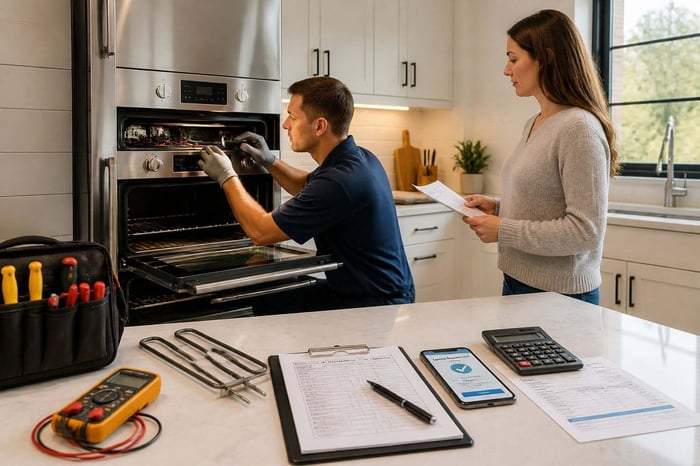
Look for a technician who lists appliance repair or microwave repair specifically, not a general handyman service, since internal microwave work requires specific training. Ask upfront whether the diagnostic fee applies toward the repair cost if you approve it.
Have the model number, a description of the symptom, and any error messages ready before the technician arrives. This turns a longer diagnostic visit into a faster, more accurate one.
Whether the microwave gets repaired or replaced, the real lesson is to make sure the next appliance problem doesn't start from zero.
Keep the Next Breakdown From Becoming a Paper Chase
The real cost of an appliance breakdown is often not the repair itself; it is the time spent hunting for a manual, a receipt, or a warranty card that may not even exist anymore. That search is avoidable.
Save the Manual, Model Number, Warranty, and Repair Receipt
Every microwave repair leaves behind a few pieces of paper worth keeping: the model number, the technician's invoice, and any note about which part was replaced. These become useful again the moment something else goes wrong.
A repair receipt also matters if the same part fails again soon after, since many repairs come with their own short warranty. Without that receipt, you lose your case for a free follow-up fix.
Frequently Asked Questions
Why Is Your Microwave Not Heating Food Even Though It Still Turns On?
This almost always points to the magnetron or a failed high-voltage diode or capacitor feeding it. These parts carry dangerous voltage even unplugged, so this repair belongs to a licensed technician, not a home fix.
How Much Should You Expect to Pay to Fix a Microwave in Your Home?
Simple repairs like a door switch, fuse, or turntable motor typically cost far less than replacing a magnetron or transformer. Get a written estimate before approving work, and ask if the diagnostic fee applies toward the final cost.
When Does It Make More Sense to Replace Your Microwave Instead of Fixing It?
If the repair costs more than half the price of a new unit, or the microwave is already near the end of its typical lifespan, replacement usually makes more financial sense. A single cheap part failing on a newer unit is a different story than a major component failing on an old one.
Who Can Repair a Whirlpool Microwave Near Pasadena, Maryland?
Search for a local appliance repair company that lists microwave repair and your specific brand among its services, since not every appliance technician works on every brand. Ask if they carry common Whirlpool parts in stock to avoid a second visit.
What Should You Do if Your Microwave Sparks, Makes Loud Noises, or Smells Burnt?
Unplug it immediately and stop using it until a technician inspects it. These signs often point to arcing or a failing high-voltage part, and continuing to use the microwave increases the risk of fire or shock.
Can a Local Appliance Technician Fix an Over-the-Range Microwave in Your Home?
Yes, most appliance repair technicians service over-the-range models in place without removing the entire unit. Confirm this when booking, since some vent and mounting configurations take extra time to access.
Build a Useful Record After Each Service Call
After each repair, write down what failed, what it cost, and the date it happened so you aren't starting from scratch next time. This habit makes appliance ownership predictable instead of a series of surprises, and it fits naturally into a broader home maintenance routine that covers everything else in the house, not just the microwave.
Homeowners who keep this information in one place, rather than scattered across drawers and inboxes, spend far less time reacting to breakdowns. Add your appliances to Manse for free and know exactly where every warranty stands the next time your microwave, or anything else in the house, acts up.