
You just wheeled a new refrigerator into the kitchen, plugged it in, and now you are staring at a warm, empty box wondering when it will actually be safe to load groceries. Maybe the power came back on after an outage, and the milk is still sitting on the counter. Either way, you need a real answer, not a guess.
Most refrigerators need between 4 and 24 hours to reach a safe temperature, depending on size, style, and starting conditions. That range matters because putting perishable food in too early risks spoilage and, worse, foodborne illness. A refrigerator thermometer takes the guesswork out, but timing still depends on a few predictable factors.
In this guide, you will find the real cooling timeline for new refrigerators, what slows the process down, how to load a fridge safely after setup, and when a slow cooldown signals a problem worth a service call. Keep reading, and you will know exactly what to expect before you plug anything in.
The Short Answer and Safe Temperature Targets
A refrigerator typically takes 4 to 24 hours to reach a safe internal temperature, though most modern full-size models get there within 12 hours. Smaller units cool faster, while larger ones take longer.
What Counts as Cold Enough for Food
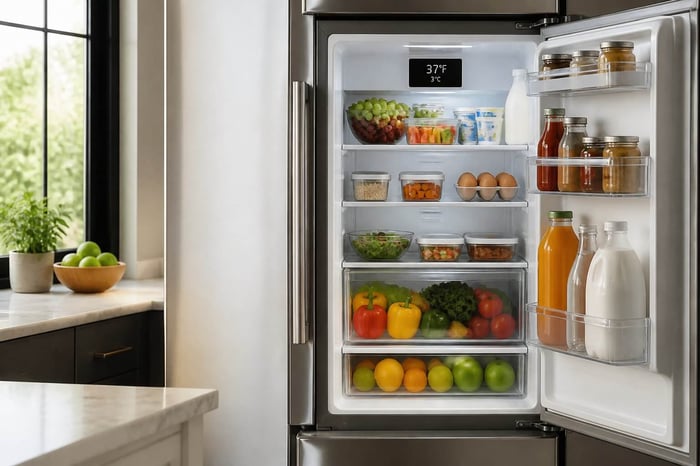
The FDA sets the target at 40°F or below for the refrigerator and 0°F for the freezer. Anything warmer for more than two hours puts perishable food, especially meat and dairy, at risk of bacterial growth. An appliance thermometer on a middle shelf gives the most accurate reading, since the built-in dial can lag behind the actual air temperature inside.
Cold storage is not just about a single number. It is about consistency. A fridge that dips to 38°F but swings back up to 45°F every time the door opens is not doing its job, even if the average looks fine on paper.
A Realistic Cooling Timeline From Plug-In to Stable Temperature
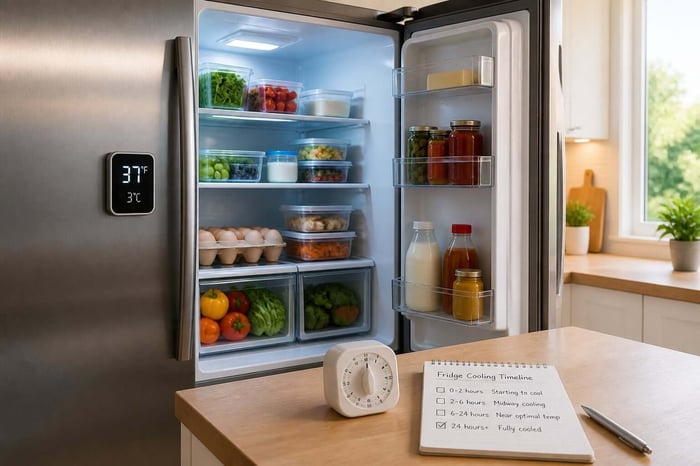
Expect the steepest temperature drop in the first four to six hours after plugging in a new refrigerator. The compressor works hardest during this window, pulling heat from the interior air and the unit's walls.
Full stabilization, when the fridge holds a steady 35°F to 38°F with little fluctuation, usually takes closer to 12 to 24 hours. Here is a general breakdown by size:
Mini fridges: 2 to 4 hours to reach a safe range
Standard full-size refrigerators: 4 to 12 hours
Large or French door refrigerators: up to 24 hours
Commercial-style units: often 1 to 3 hours due to stronger compressors
Why the Freezer and Ice Maker Take Longer
Freezers need to drop much further than the fridge compartment, from room temperature down to 0°F, so they naturally take longer to stabilize. A full 24 hours before putting frozen food in is a safe rule of thumb for a brand-new unit.
Ice makers take even longer to activate. Most need the freezer to hit its target temperature first, then another 12 to 24 hours before they start producing ice consistently. If you are anxious for ice on day one, that patience will save you a jammed or half-frozen tray. If the freezer still isn't holding cold after a full day, a freezer troubleshooting checklist can help you rule out a real problem before assuming it just needs more time. Once the fridge and freezer settle into their rhythm, the next question is what might be slowing that process down in your specific kitchen.
What Changes the Cooling Time
Two refrigerators of the same brand can cool at very different speeds depending on where they sit and how you treat them on the first day. Size, room conditions, and your own habits all play a part.
Refrigerator Size, Style, and Starting Temperature
Larger refrigerators have more interior air and more insulation mass to cool, so they naturally take longer than compact models. French door refrigerators, with their wide compartments and multiple drawers, often need the full 12 to 24 hours to stabilize evenly across every section.
Mini fridges and chest freezers work faster because they have less space to chill. A mini fridge might feel cold within two hours, while a chest freezer can take most of a day to reach a safe holding temperature for frozen food.
The unit's starting temperature matters too. A fridge that just sat in a delivery truck in summer heat starts from a much higher point than one stored in a climate-controlled warehouse.
Room Heat, Clearance, and Airflow
A refrigerator placed near a stove, in direct sunlight, or in a garage without climate control has to fight the surrounding heat constantly. Ambient temperature around the unit directly affects how hard the compressor works and how long cooling takes.
Airflow around the appliance matters as much as what happens inside it. Condenser coils, usually on the back or bottom of the unit, need space to release heat.
Leave at least two inches of clearance on the sides and top
Keep three to five inches behind the unit for coil airflow
Avoid pushing the fridge flush against a wall or cabinet
Door Openings and Loading the Fridge Too Soon
Every door opening lets warm air rush in and forces the compressor to start over on part of its work. During the first 24 hours, minimizing door openings helps the unit reach a stable temperature faster.
Loading the fridge with a full week of groceries right after delivery is one of the most common homeowner mistakes. Room-temperature food adds heat load the compressor has to remove, on top of cooling the empty space itself, which can add hours to the process. Once you understand what slows a fridge down, the smarter move is setting it up in a way that avoids those delays from the start.
Set Up a New Fridge Without Risking Your Groceries
A little patience during setup protects both your food and the appliance itself. Rushing the process is the most common reason new refrigerators seem to underperform in the first week.
Let the Appliance Stand Upright After Delivery
If the refrigerator was transported on its side, let it stand upright for a few hours before plugging it in. Tilting can cause refrigerant or compressor oil to shift into the cooling lines, and running the compressor too soon can cause damage.
Most manufacturers recommend waiting at least four hours after delivery, though some suggest up to 24 hours for units that traveled a long distance. This step is easy to skip when you are excited to use a new appliance, but it protects the compressor from unnecessary strain right out of the gate.
Set Temperatures and Confirm Them With a Thermometer
Set the thermostat to the manufacturer's recommended setting, usually around 37°F for the fridge and 0°F for the freezer. Do not rely on the dial alone; place a refrigerator thermometer on a middle shelf and check it after a few hours.
Check the reading again at the 6-hour and 12-hour marks
Adjust the thermostat slightly if the fridge runs warmer or colder than expected
Recheck after any thermostat adjustment, since it can take hours to reflect a new setting
This is also a good moment to snap a photo of the model and serial number plate, usually found inside the door frame. Homeowners who keep that information on hand, along with the manual and warranty start date, save real time if something goes wrong later.
Load Food in Stages and Keep Doors Closed
Once the thermometer confirms a safe temperature, start with a small batch of groceries rather than a full stock-up trip. Add perishable food and meat gradually over the first day so the compressor isn't trying to cool both the air and a full load of room-temperature items at once.
Keep the doors closed as much as possible during this stabilization window. If the fridge still isn't reaching a safe range after a full day of normal use, that is a sign to look more closely at what might be going wrong.
When Slow Cooling Means Something Is Wrong
A fridge that never gets cold, or gets cold and then warms back up, usually points to a specific mechanical issue rather than normal startup behavior. Knowing where to look saves a wasted service call.
The 24-Hour Check That Calls for Service or Warranty Support
If your refrigerator has run for 24 hours and still hasn't reached 40°F or below, treat it as a real problem, not a timing issue. Continuing to store perishable food at that point risks food spoilage and foodborne illness.
This is the moment to check whether the unit is still under warranty before scheduling a paid repair. If you documented the purchase date and model number when you set it up, confirming warranty status takes minutes instead of a frustrating search through email and paper receipts.
Simple Checks for Vents, Coils, Frost, and Seals
A few visual checks can rule out easy fixes before calling for service, and a fridge-not-cooling checklist can walk you through them in order:
Condenser coils: dusty or blocked coils make the compressor work harder and cool less effectively
Frost buildup: heavy frost in the freezer restricts airflow and signals a possible seal or defrost issue
Door seals and gaskets: a loose or cracked seal lets cold air escape constantly
Interior vents: blocked vents from overpacked shelves prevent cold air from circulating
Most homeowners can safely clean the coils and clear vents without a technician. A worn door seal or gasket usually needs replacement, and it helps to have the model number ready when ordering the correct part.
How Recovery Differs After a Power Outage, Cleaning, or Defrosting
A fridge that loses power during an outage doesn't need to start from zero like a brand-new unit, since the walls and food inside stay cold for hours. Recovery to a stable temperature after power returns usually takes just a few hours, not a full day.
After manual defrosting or a deep clean, expect a similar few-hour recovery window since the compressor and interior were already primed to run. Once cooling performance checks out, keeping it that way over the long run comes down to a few maintenance habits.
Keep Cooling Performance and Records in Good Shape
A refrigerator that cools quickly today will not stay that way without a little upkeep. Small habits protect both food safety and your energy bill.
Maintenance Habits That Protect Energy Use and Food
Cleaning condenser coils every six months keeps the compressor from overworking, which protects both cooling speed and energy efficiency. The U.S. Department of Energy recommends this specifically because clean coils help regulate temperature and keep the compressor from working harder than it needs to, which shows up directly in electricity costs over time.
Vacuum coils twice a year to prevent dust buildup
Check door seals for gaps using a simple dollar-bill test
Keep the fridge at least a few inches from the wall for airflow
Avoid overpacking shelves, which blocks internal air circulation
An ENERGY STAR certified refrigerator, a joint EPA and Department of Energy program, is built to use less electricity than the federal minimum efficiency standard, which lowers running costs over the appliance's lifespan.
Compare Replacement Options, Local Costs, and Recycling Programs
When a refrigerator is aging or repairs start piling up, it makes sense to compare replacement costs with continued repairs. Many utility companies and local recycling programs offer cash incentives for retiring an old, inefficient unit responsibly, rather than leaving it at the curb.
Checking the ENERGY STAR Rebate Finder and local utility resources for rebate programs can offset some of the cost of a new ENERGY STAR model. ASHRAE standards also guide how commercial-grade cold appliances, wine coolers, and beverage centers are rated for efficiency, which is useful context when comparing options beyond a standard kitchen fridge.
Frequently Asked Questions
Why Is My Refrigerator Still Not Cold After I Plugged It In?
Give it more time first, since most units need 4 to 12 hours to show a real temperature drop. If it has been running for 24 hours with no change, check the coils, seals, and vents, or contact the manufacturer if it is still under warranty.
How Long Should You Wait Before Putting Food in a New Refrigerator?
Wait until an appliance thermometer confirms 40°F or below, which usually takes 4 to 12 hours for a full-size unit. Loading food too early forces the compressor to work harder and increases the risk of spoilage.
How Long Does a Refrigerator Need to Cool Down After Being Unplugged?
A short unplug of an hour or two barely affects internal temperature, so cooling resumes within an hour once power returns. A longer outage, especially overnight, may need three to six hours to fully restabilize.
How Long Does a Fridge Take to Get Cold After Defrosting?
Most refrigerators return to a safe temperature within four to six hours after a manual defrost. Since the unit was already running before the defrost, it recovers faster than a brand new appliance would.
How Long Does a Small Fridge Take to Reach a Safe Temperature?
Mini fridges typically cool to a safe range within two to four hours thanks to their smaller interior space. Confirm the temperature with a thermometer rather than relying on the built-in dial alone.
How Long Does It Take a Freezer to Get Cold After You Plug It In?
A new freezer usually needs a full 24 hours to reach 0°F and hold steady there. Frozen food should wait until it reaches that mark, since partial cooling isn't enough to keep it safely frozen.
What This Means for Your Next Cold Storage Moment
A fridge that takes hours to get cold is normal, not a sign of a bad appliance. What separates a smooth setup from a stressful one is patience, a working thermometer, and a little attention to airflow and door seals.
The next time a fridge acts up, a power outage hits, or a warranty question comes up mid-repair, having the model number and purchase records ready turns a stressful call into a quick one.
That is the exact gap Manse was built to close: it's free to start, no credit card required, so your next appliance question has an answer waiting instead of a search. Build your home profile in minutes.